Why Not Just Keep Using Spreadsheets or Notion?
We get it. The tool you have is the one you know. But "good enough" has a price: overtime, missed deliveries, and burnout.
The Honest Question
Every studio we talk to has tried to make it work with existing tools. Spreadsheets for shot lists. Notion for task boards. Maybe ShotGrid if you're large enough to afford the licensing and the IT team to maintain it. And for a while, it works.
Then production scales. Deadlines compress. The team doubles. And suddenly "good enough" becomes the thing slowing everything down.
Spreadsheets: Built for Numbers, Not Pipelines
Spreadsheets are excellent at what they were designed for: static data, financial tables, simple lists.
They are not designed for:
- Live status tracking across 200+ shots with multiple pipeline steps each
- Version control - when three people update the same cell on the same day, someone's work disappears
- Dependencies - a spreadsheet can't tell you that Lighting is blocked because Rigging isn't done
- Review workflows - you can't attach a playblast to a cell and collect timestamped annotations from a supervisor in Paris
The workarounds accumulate. Color-coding becomes a second language. Columns multiply. The file slows down. Someone's always working on the "wrong version." A single missed save creates a conflict no one can resolve cleanly.
The hidden cost: production coordinators spending 30–40% of their time maintaining the spreadsheet instead of managing the production.
Notion: Excellent for Documentation, Not Production Tracking
Notion is a genuinely great tool. For wikis, internal documentation, and light project management. But it hits hard limits in production contexts:
- No native media review or annotation - you're linking out to Frame.io, Vimeo, or email threads and then losing the trail
- No asset-to-shot dependency mapping - you can't see at a glance which shots are waiting on a character rig
- No real-time pipeline status - a kanban board updated manually by artists is only as accurate as their last login
- No quota or time tracking built for artist workflows
You end up with a documentation layer that describes the production but doesn't run it. You still need another system, or five, to fill the gaps.
ShotGrid: Powerful, But at What Cost?
ShotGrid (or Shotgun, or Flow) is a legitimate production tool. But it comes with real tradeoffs that studios consistently raise with us:
- Licensing costs that scale steeply and put it out of reach for mid-size studios and schools
- Configuration overhead - getting ShotGrid to match your pipeline requires significant setup, often a dedicated pipeline TD
- Vendor lock-in - your data lives in Autodesk's ecosystem, on Autodesk's terms
- Complexity for artists - the interface is dense, and artist adoption is a recurring struggle
ShotGrid was built for large VFX facilities with dedicated infrastructure teams. If that's you, it may serve you well. If it's not, you're paying enterprise prices for features you don't need, while wrestling with a UI that wasn't designed for your workflow.
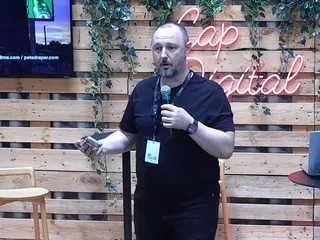
Customer Story:
Ryff
"Kitsu was straightforward. It was simple. You didn't need a degree in computer science like you do with alternatives."
Pete Draper, VFX Supervisor
The Hidden Costs of "Good Enough"
The sticker price of free tools is never the real price. Consider what you're actually spending:
| Cost | How it shows up |
|---|---|
| Coordinator time | Hours rebuilding broken sheets, chasing status updates manually |
| Miscommunication | Revisions done on the wrong version; approval loops restarted |
| Missed dependencies | Artist finishes a shot that can't be rendered because an asset isn't approved |
| Review chaos | Feedback scattered across email, Slack, and sticky notes on screen recordings |
| Onboarding drag | Every new hire learns your custom spreadsheet system from scratch |
| No audit trail | When a delivery goes wrong, there's no clear record of what happened and when |
All these costs show up as crunch, turnover, and blown budgets.
The Specific Pain Points Kitsu Was Built to Solve
- Versioning: Every preview upload in Kitsu is versioned automatically. Supervisors review the latest version. Artists always know which feedback applies to which iteration. There is no "wait, which file are we looking at?"
- Dependencies: Kitsu's breakdown and casting tools let you map which assets are required for which shots. When a character rig is delayed, you can see instantly which shots are at risk - before the pipeline discovers it the hard way.
- Approvals: Retakes and approvals flow through a defined status system with a full comment history. Nothing gets lost in a Slack thread. Nothing gets marked done before it's actually reviewed.
- Visibility: Producers, directors, and clients get the view they need without coordinators spending half their day assembling decks.
So Why Switch Now?
Because the cost of switching is finite, the cost of staying is ongoing.
Migrating to Kitsu typically takes days, not months. The open-source version costs nothing to try. And because your data is exposed via a full REST and Python API, Kitsu integrates with whatever pipeline tools you already use.
The studios that delay the switch do it because switching feels risky. We've built Kitsu to make that risk as small as possible.
Every time I learn about another feature of Kitsu, it becomes a more powerful tool. It's like Kitsu is full of surprises. It's been a robust resource that I know I'll continue to learn, adapt and expand upon, so it always has more to offer!
Interested in using Kitsu?