How Easy Is It For Our Team To Use Kitsu?
There's a common fear when introducing new production software: "My team will resist it. It'll slow everyone down. The learning curve isn't worth it."
Most production tools are built for producers, and then handed to artists who just want to draw, rig, animate, and render.
Kitsu was designed differently: each role gets exactly what they need.
What an Artist Actually Sees
When an artist logs into Kitsu, they don't land on a dashboard of Gantt charts, budget modules, or studio-wide reports. They see their to-do list.
"Here's what I need to do today. Here's the reference. Here's the feedback from my supervisor."
That's it.
- ✅ Open a task
- ✅ Watch the reference
- ✅ Read the notes
- ✅ Upload a new version
- ✅ Move on
No training required. No manual to read. No settings to configure.
What a Producer Actually Sees
Producers get the full picture: schedules, progress reports, budget forecasts, resource allocation, and a real-time view of every shot and asset moving through the pipeline.
The complexity lives where it belongs, with the people paid to manage it.
Customer Story:
MIYU Studio
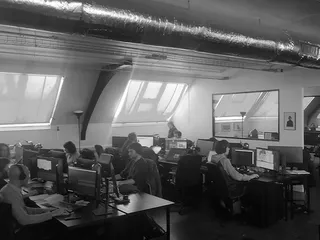
"A few days are enough to understand all the features required to run a production. Everyone in the studio starts quickly, especially artists who really enjoy Kitsu. We didn't notice this enthusiasm with the previous tools we used."
Carole Faure, Production Manager
Role-Based by Design
Kitsu's interface adapts to who's using it:
| Role | What they see | What they don't see |
|---|---|---|
| Artist | Their tasks, their deadlines, their feedback | Studio finances, scheduling tools, reports |
| Supervisor | Their department's progress, review tools, retake notes | Other departments' budgets or HR data |
| Producer / PM | Everything: schedules, budgets, forecasts, team status | Irrelevant pipeline noise |
| Client | Their production's progress, review tools, retake notes | The studio's internal life |
No role has to wade through another role's complexity.
Onboarding Takes Minutes, Not Weeks
Getting a new artist up to speed on Kitsu looks like this:
- They receive an invitation link
- They log in and see their task list
- They click a task, review their brief, upload their first version
That's the entire onboarding flow for an artist.
No week-long training. No dedicated IT session. No 80-page PDF.
For production managers setting up a new project, Kitsu provides templates, import tools, and a structured setup flow. A fully configured production with shots, assets, tasks, and team assignments can be live in an afternoon.
The UI Speaks for Itself
Clean. Focused. Contextual.
Every screen in Kitsu is designed around a single question: what does this person need right now?
There are no cluttered sidebars fighting for attention. No ten-step workflows to publish a preview. No buried menus where critical actions hide.
Trusted by 500+ Studios in 50+ Countries
Studios ranging from solo freelancers to large-scale feature film productions use Kitsu daily, including teams that had never used dedicated production software before.
Try It With Your Team
The best way to see that Kitsu isn't complicated? Let your team try it.
Start with a free cloud trial or deploy the open-source version. No commitment.
Kitsu is a very artist-friendly tool for planning and tracking your project. The UI is clean and easy to understand. We received a lot of positive feedback from the team.
Interested in using Kitsu?